

Software for licensed home inspectors
Run the shop, the walk, and the report from one login.
Clients book on your page. Walk the house, then publish the report when it's ready.
- No card to startNo credit card to start
- Stripe payoutsCollect payments via Stripe
- You control publish
Client: Chen · 1248 Oak St
savedRoof
Covering, age, and visible condition
- Layers
- One layer visible
- Estimated age
- 12–15 years
- Drainage
- Gutters present, downspouts to grade
- Flashing
- Typical at chimney and walls

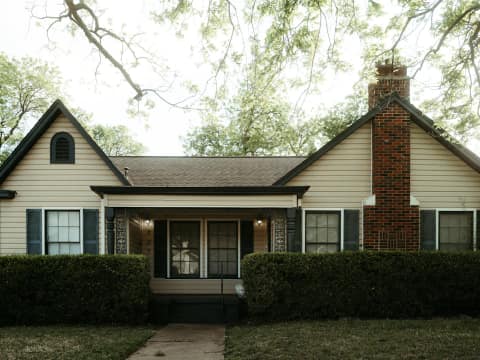
In the field
Walk the house. The report keeps up.
1248 Oak St · Property basics
Property basics
Dwelling facts, room counts, and context
Walking · 0:42 — “South slope has granule loss. Architectural shingles, one layer. Furnace filter is packed. Two-hundred amp panel in the garage, labeled.”
Your shop
Stand up the business on prinsto.ai
chen-inspections.prinsto.ai
Public shop
Chen Home Inspections
WA · ASHI · Buyer, pre-listing, and new construction inspections.
- Buyer inspection$549
- Pre-listing$499
- New construction (phase)$399
Intake
1248 Oak Street, Redmond WA
Buyer inspection · preferred date next Tuesday
Work order
$549 due · Pay with card
Checkout powered byStripe
Connect Stripe once. Clients pay you directly on the order link. You keep the inspection, the invoice, and the receipt on the same client.
Hosted page
yourname.prinsto.ai with your logo, licence, and services. Share one link with agents.
Intake & booking
Inquiry or book-now forms land as jobs in your dashboard—not a buried inbox thread.
Work orders
Offerings, amounts, and status live with the client. Approve, send, and track without a second tool.
Stripe payouts
Your Stripe account. Card checkout on the public order. You remain the merchant of record.
The workflow
One inspection record. Book it, walk it, send it, get paid.
- 01
Book it
Shop page and intake, or add the client yourself. The job sits on your list with the address attached.
- 02
Walk it
Look up public facts, then walk and record. Photos, notes, and checklists land on the same inspection.
- 03
Send it
Review, lock if you want, then publish. Clients get a hosted report—not a 40MB email attachment.
- 04
Get paid
Send the work-order link. Clients pay by card through Stripe. The receipt stays with the job.
Less retyping
The busywork is what we automate. The call is still yours.
House data
Look up the property. Accept what's right.
After the address is in, Prinsto can pull public property records—assessor-style facts like year built, beds, baths, square footage, and lot details. Those come back as suggestions. Tap to apply, skip what doesn't match the house. Nothing silent-writes into the client report.
Voice
Talk the finding. Land it on the right section.
Record a note on the roof, or walk the whole property. Transcripts attach to sections. Suggested fields wait for you—no auto-fill of defects you didn't confirm.
Photos that caption themselves
New pictures get draft captions and checklist hints from what’s in the frame. You edit or toss them before they go to the client.
Sections instead of a blank doc
Address, systems, and review are already laid out. Autosave as you walk. Lock when the report shouldn’t change.
Polish at the end
On Review, optional copy-edit cleans notes and captions. Publish stays a switch—complete does not mean the client can see it.
Who it's for
Pick the path that matches how you work
Solo inspectors
One login. Phone in the attic, laptop in the truck. Pricing that doesn't assume a back office.
Solo workflow →Inspection companies
Shared clients, consistent branding, and a dashboard instead of three different report styles.
Team workflow →Standards & delivery
Structured sections, an audit trail, and reports you can stand behind with agents and clients.
How reports work →FAQ
Questions inspectors actually ask
- What is Prinsto?
- Prinsto is home inspection software for licensed inspectors. You get a hosted shop and booking on yourname.prinsto.ai, walk-and-record field notes, branded reports you publish when ready, and Stripe payments on the work order. AI assists with notes and captions. You stay the inspector of record.
- Is Prinsto home inspection software or only a report writer?
- It is full home inspection software: shop and intake, the inspection record, field capture, branded report with a separate publish step, and Stripe payments—not a standalone PDF writer.
- Does it replace my professional judgment?
- No. Property-record suggestions, voice transcripts, photo captions, and polish are assistants. You accept or reject them. You remain the inspector of record.
- What does walk-and-record actually do?
- On a section you can record a note for that system, or walk the whole house. The clip is transcribed. Notes land on the right sections. Empty checklist fields can fill from what you said; fields you already answered stay put. You still review before publish.
- Can I use it on a phone at the property?
- Yes. The inspection workspace is a web app. Field capture (photos, voice notes, section checklists) is designed for a phone or tablet; longer write-up is easier on a laptop.
- How do clients find me and book?
- You get a hosted page at yourname.prinsto.ai (or a path URL on free). Put your services, licence, and a booking or inquiry form there. Share that link with agents and past clients instead of a PDF menu.
- How do payments work?
- Connect your own Stripe account in settings. Clients pay work orders by card. Money goes to you. Stripe’s processing fee comes out of the charge; Prinsto adds a small application fee on top. See pricing for the current fee.
- Is there a free plan?
- Yes. You can start on the free plan with no credit card, then move to Basic or Pro as volume grows. Custom shop slugs and hiding Prinsto branding are on paid plans. See pricing for current limits.
What is Prinsto?
Prinsto is home inspection software for licensed inspectors. You get a hosted shop and booking on yourname.prinsto.ai, walk-and-record field notes, branded reports you publish when ready, and Stripe payments on the work order. AI assists with notes and captions. You stay the inspector of record.
Is Prinsto home inspection software or only a report writer?
It is full home inspection software: shop and intake, the inspection record, field capture, branded report with a separate publish step, and Stripe payments—not a standalone PDF writer.
Does it replace my professional judgment?
No. Property-record suggestions, voice transcripts, photo captions, and polish are assistants. You accept or reject them. You remain the inspector of record.
What does walk-and-record actually do?
On a section you can record a note for that system, or walk the whole house. The clip is transcribed. Notes land on the right sections. Empty checklist fields can fill from what you said; fields you already answered stay put. You still review before publish.
Can I use it on a phone at the property?
Yes. The inspection workspace is a web app. Field capture (photos, voice notes, section checklists) is designed for a phone or tablet; longer write-up is easier on a laptop.
How do clients find me and book?
You get a hosted page at yourname.prinsto.ai (or a path URL on free). Put your services, licence, and a booking or inquiry form there. Share that link with agents and past clients instead of a PDF menu.
How do payments work?
Connect your own Stripe account in settings. Clients pay work orders by card. Money goes to you. Stripe’s processing fee comes out of the charge; Prinsto adds a small application fee on top. See pricing for the current fee.
Is there a free plan?
Yes. You can start on the free plan with no credit card, then move to Basic or Pro as volume grows. Custom shop slugs and hiding Prinsto branding are on paid plans. See pricing for current limits.
Guides
Learn how home inspection software works
Home inspection software
What it is and how to choose—field capture, publish control, pricing, branding.
Read guide →Software for licensed inspectors
Day-to-day workflow: walk-and-record, report, publish, and getting paid.
Read guide →Home inspection reports
What belongs in the client report and why publish should stay separate.
Read guide →

Put tomorrow's inspection on Prinsto
Create an account, claim your page, and open a draft.Create an account, claim your page, and open a draft. The first report should feel like the software got out of the way.